
Thanks for your feedback.
 Feedback?
This article is about sharing from your Cisco device both in- and out-of-call, with a USB-C or HDMI cable. Which cable(s) you can use depends on your device. For example, Board Pro supports cabled sharing over both USB-C and HDMI. All other Board Series devices support HDMI only.
Resolution formats larger than 1920×1080@60fps require the use of high-speed HDMI cables. This applies for presentation sources such as a computer, document camera, or media player, whiteboard, or other device.
For guaranteed operation, use an HDMI cable from Cisco or a Premium certified cable.
Examples of recommended Cisco HDMI cables:
-
HDMI 1.4b compliant cable 8 Meters - CAB-PRES-2HDMI-GR
-
HDMI 2.0 cable 1.5 Meters, gray - CAB-2HDMI-1.5M-GR
-
HDMI 2.0 cable 3 Meters, gray - CAB-2HDMI-3M-GR
-
Cisco Multi-head Cable 9 Meters - CAB-HDMI-MUL4K-9M
To learn about wireless sharing methods, see these articles about sharing with the Webex App, Miracast®, or Apple AirPlay.
Remember, the sharing experience you get differs slightly depending on the version of RoomOS your device is on.
If your Board, Desk, or Room Series device is running on RoomOS 26, to share in a call:
-
Make sure your laptop or other presentation source is switched on. Connect it to your Cisco device with a USB-C or HDMI cable.
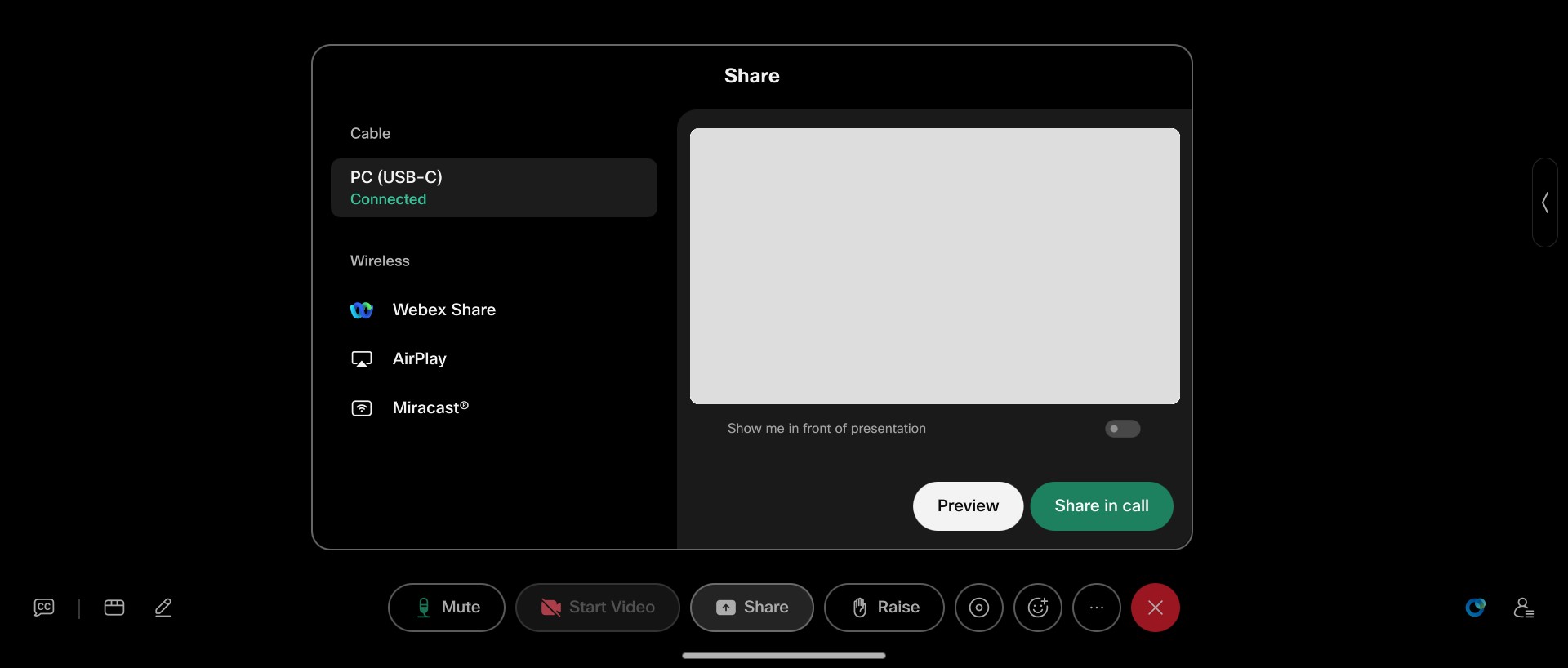
- A dialog opens on top of your video, showing content sources and your connected screen.
-
Tap Preview to take an advance look at your content and then tap Share. Tap Dismiss if you change your mind and don't want to share content after all.
Or, just tap Share right away.
-
Tap Stop sharing to end the share (but stay in the call) when you're finished.
If you're not in a call when you connect your laptop, your source screen will appear automatically on your device screen. To start a call and share some content:
-
Swipe up from the bottom of your device homescreen and place a call. Once you're in the call, tap the Share button in the call controls.
- The Sharing dialog opens on top of your video, showing available content sharing sources on the left, and a preview of your current screen on the right.
- Carry on as above to Preview or Share the content.
How you share from the Sharing dialog depends on the setting of the configuration PresentationSelection. Set to:
-
AutoShare. There's a 5 second countdown before your screen is shared automatically. During the countdown, you can also tap buttons to Share in call immediately, or Cancel the share.
-
OnConnect. Tap a button to Share in call, or Dismiss the popup without sharing.
-
Desktop. Tap a button to Share in call, View a preview, or Dismiss the popup without sharing.
-
Manual. You won't get a notification at all. Sharing won't start until you tap the Share button on your device screen, and select the source.


